
You’ll grow faster when your website works like a measurable sales system, not a brochure. In 5 seconds, state who you help, what you offer, and why you’re better, then back it with pricing, reviews, and real photos. Keep it mobile-first and under 3 seconds, with one clear CTA per page. Add lead forms, online booking, and payments. Track calls and forms in GA4, test changes weekly, and keep improving. Next, you’ll see the exact setup.
Key Takeaways
- Communicate your offer in 5 seconds with clear benefits, target customers, and a single primary call-to-action.
- Add trust signals like transparent pricing, reviews, guarantees, certifications, and real photos to increase conversions.
- Improve speed and mobile usability so pages load under 3 seconds and forms are short, simple, and easy to complete.
- Capture and close leads faster using live chat, FAQs, automated scheduling, and online payments with clear next steps.
- Grow with data: track conversions in GA4/Search Console, use UTMs, A/B test headlines and CTAs, and invest in top-ROI channels.
What Your Small Business Website Must Do

If your small business website doesn’t do a few core jobs exceptionally well, it won’t generate leads or sales—no matter how good it looks. First, you’ve got to communicate value in under 5 seconds: what you do, who it’s for, and why you’re better.
Next, you need trust signals that reduce risk—clear pricing ranges, proof of results, reviews, certifications, and real photos. Then, make the site fast and frictionless: mobile-first layouts, accessible text, and pages that load in under 3 seconds (because bounce rates climb sharply after that).
Finally, support Customer engagement with helpful answers, and use brand storytelling to make your credibility memorable, not generic. If visitors can’t understand you, trust you, and act confidently, they’ll exit.
The Pages and CTAs Your Website Needs
Now that your site’s doing its job, you need the right pages to answer key questions fast—what you do, who you help, what it costs, and how to reach you.
You’ll also want high-impact CTAs that match visitor intent, because clear prompts like “Get a Quote” or “Book a Call” consistently lift conversions.
Next, you’ll map the must-have pages and place CTAs where they’re easiest to act on.
Must-Have Website Pages
Because most visitors decide within seconds whether to stay or bounce, your small business website needs a tight set of core pages with clear calls to action that tell people exactly what to do next—request a quote, book a call, buy, or visit your location.
Start with a homepage that states who you help, what you do, and why you’re credible.
Add a services/products page with pricing ranges, deliverables, and proof.
Use an about page to reduce risk: your story, credentials, and local signals.
Publish a contact page with hours, map, form, and response-time promise.
Create FAQs to cut support load and preempt objections.
Include testimonials/case studies to raise conversion rates.
Keep design aesthetics consistent and align every page to a content strategy that matches search intent.
High-Impact Calls To Action
While your design and copy set the stage, your calls to action (CTAs) decide whether visitors take the next step or disappear—especially when people scan a page in seconds. Put one primary CTA above the fold on your Home and Service pages: “Book a Call,” “Get a Quote,” or “Schedule Service.” Back it up with a secondary CTA like “See Pricing” to capture hesitant buyers without splitting focus.
On your Contact page, use a short form plus click-to-call; mobile users convert faster when friction drops. Add CTAs to your About page (“Meet the Team” → “Request an Intro Call”) and blog posts (“Download the checklist”). Keep button copy consistent, colors on-brand, and placement predictable for branding consistency.
Test monthly; small tweaks lift customer engagement and leads.
Make Your Small Business Website Convert Visitors
If your website gets traffic but not leads or sales, you don’t have a visibility problem—you have a conversion problem. Start by measuring where visitors drop: bounce rate, scroll depth, and form completion.
Then simplify the path to “yes.” Put one primary offer per page, cut navigation distractions, and shorten forms to the essentials. Speed matters: even a one-second delay can reduce conversions, so compress images and remove heavy scripts.
Build trust fast with clear pricing ranges, guarantees, testimonials, and security badges near the form. Improve customer engagement with live chat, quick FAQs, and a clear next step after every section.
Finally, use content optimization: rewrite headlines for benefits, add proof, and A/B test buttons weekly. Track results, then iterate.
Rank Your Small Business Website in Local Search
Conversions improve when the right people land on the right page, and for most small businesses that starts with local search. Your fastest wins come from tightening local SEO fundamentals: claim and fully complete your Google Business Profile, keep your name, address, and phone consistent everywhere, and pick the right primary category.
Add location pages that match how people search (“plumber in Austin”), and include hours, service areas, pricing ranges, and FAQs. Use schema markup so Google can read your business details reliably.
Then build authority with steady citations and locally relevant backlinks from chambers, suppliers, and neighborhood sites. Finally, earn and respond to customer reviews: they influence rankings and clicks, and reply speed signals you’re active.
Track impressions, calls, and direction requests monthly.
Capture Leads and Bookings on Your Website
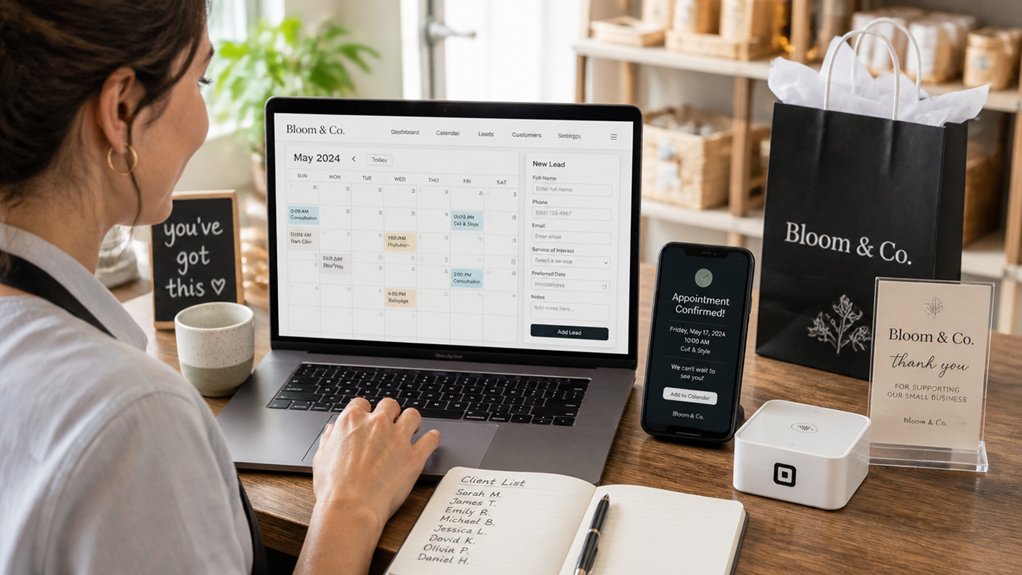
Once local search starts sending traffic, you’ve got to convert those visits into real inquiries and appointments. You do that with high-converting lead forms that ask only what you need, load fast, and track submissions so you can measure conversion rate.
Then you add automated booking scheduling so prospects can pick a time instantly, cutting phone tag and lifting booked jobs.
High-Converting Lead Forms
Because most visitors won’t call you on the spot, your lead form has to do the heavy lifting—capturing intent the moment it shows up. Treat it like a mini sales page: one clear promise, one primary action, and zero distractions.
For lead form optimization, cut fields to the essentials; each extra field can reduce completions. Ask only what you’ll use to respond fast (name, best contact, service need).
Add trust signals near the button: reviews, “reply within 1 business hour,” and a short privacy note.
Use conversion tactics that remove friction: pre-fill options (dropdowns), mobile-friendly inputs, and error messages that tell people exactly what to fix.
Track completion rate and source, then A/B test headline, button copy, and field count weekly.
Automated Booking Scheduling
If you let prospects pick a time on your site the moment they’re ready, you’ll capture more demand and cut the back-and-forth that kills deals. Add scheduling automation to every high-intent page—services, pricing, and contact—so visitors can book in under a minute.
Sync your calendar to prevent double-booking, set buffers, and route leads to the right staff based on service type or location. Use confirmation emails and SMS appointment reminders to reduce no-shows and protect your time; most businesses see fewer missed appointments when reminders go out 24 hours and 2 hours before.
Collect key details at booking (budget, issue, photos) so you show up prepared and close faster. Track booking rate, show rate, and time-to-first-appointment, then tweak availability and messaging to lift conversions.
Sell and Take Payments on Your Small Business Website
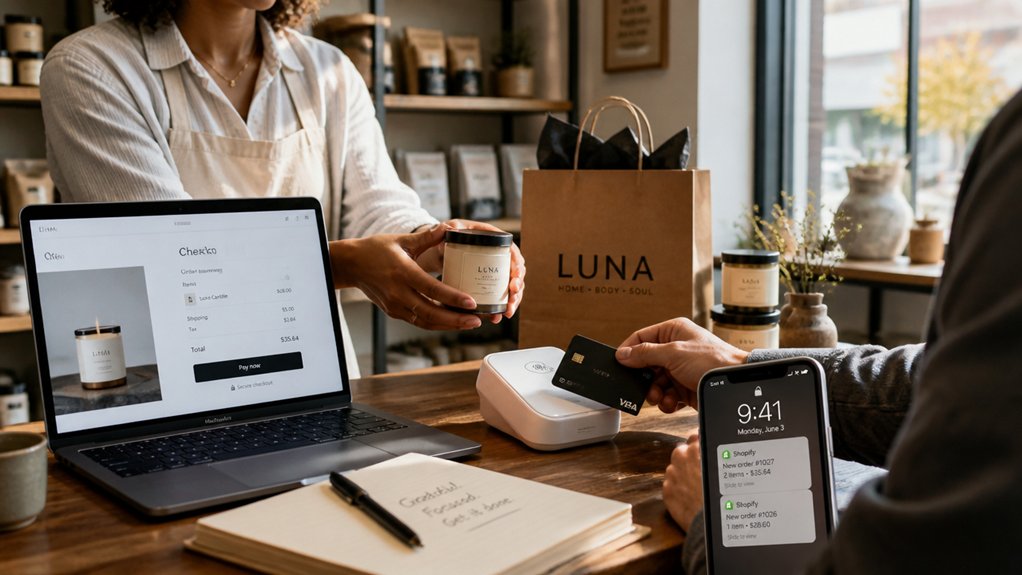
How do you turn website traffic into revenue without adding a ton of overhead? You add a simple checkout and let customers buy when they’re ready. Start with Payment gateways like Stripe, Square, or PayPal so you can accept cards, wallets, and invoicing in minutes, with clear fees and fast deposits.
Pair them with lightweight shopping carts that handle taxes, shipping, discounts, and abandoned checkout emails without custom code. Sell gift cards, digital downloads, deposits, service bundles, and subscriptions to smooth cash flow between busy weeks.
Put pricing on-page, show delivery or pickup options, and answer “what happens next” in plain language. Add trust signals: SSL, refund terms, and contact info. Keep checkout to one page and reduce form fields.
Measure Small Business Website ROI and Improve It
A smooth checkout gets you paid, but you still need to know whether your website’s pulling its weight. Start with analytics tracking: set up GA4, Search Console, and conversion events for calls, form fills, and purchases. Tie every lead to a source with UTM links so you can see which channels actually drive revenue.
Next, calculate ROI monthly: (profit from web-driven sales − total web costs) ÷ total web costs. Include hosting, ads, tools, and your time.
Then improve the numbers: run content optimization on your top pages—tighten headlines, add stronger CTAs, and answer common questions faster. A/B test one change at a time, watch conversion rate and cost per lead, and double down on what moves them.
Conclusion
Your website isn’t just a digital brochure—it’s your growth engine. When you build the right pages and CTAs, improve conversion rates, rank locally, and capture leads or bookings, you turn traffic into revenue. Add online payments, and you shorten the path from interest to purchase. Then track KPIs like sessions, calls, form fills, and sales to prove ROI and iterate fast. Do this consistently, and your site can feel like a 24/7 salesperson on steroids.
About the Author