
To succeed online, your small business website needs clear goals tied to weekly metrics, plus a sharp above-the-fold value proposition that tells visitors who you help and what outcome they’ll get. You should build service/product pages that answer objections with pricing, timelines, proof, and FAQs, then drive action with one clear CTA and short mobile-first forms. Keep it fast (Core Web Vitals), cover SEO basics (titles, headings, internal links), add trust (reviews, case studies), and track calls, forms, and bookings to improve results over time. Keep going to see exactly how to set each piece up.
Key Takeaways
- Define 1–3 measurable website goals and align every page to a clear next step that supports those outcomes.
- Communicate a specific value proposition above the fold, backed by proof, and answer objections on service pages with scannable details.
- Use one primary, action-led CTA per key page, reduce form friction, and optimize mobile layouts with thumb-friendly buttons and short sections.
- Improve speed and technical SEO with optimized images, minimized scripts, strong Core Web Vitals, and clear titles, headings, and internal links.
- Build trust and track results using testimonials, reviews, badges, case studies, and conversion analytics for forms, calls, and bookings.
Set Goals for Your Small Business Website

Before you touch design or content, get clear on what your small business website must achieve. Pick 1–3 primary goals: generate leads, sell online, book appointments, or cut support requests. Tie each goal to a metric you can track weekly, like conversion rate, form completions, calls, revenue per visitor, or FAQ deflection.
Next, define your target actions per page. Your homepage should drive one clear next step, while service pages should answer objections and push inquiries. Build branding consistency by matching your promise, proof, and tone across pages so visitors don’t second-guess you.
Then shape a content strategy around intent: “ready to buy” pages first, then comparison, how-to, and trust content. Set targets, review, and adjust monthly.
Pick the Right Platform, Hosting, and Budget
Next, you’ll pick a website platform that matches your needs and skill level, because the wrong choice can raise build time and maintenance costs.
You’ll also choose reliable hosting with strong uptime, speed, backups, and support so your site stays fast and online when customers visit.
Finally, you’ll set a realistic budget that covers the full picture—setup, themes/plugins, security, and ongoing updates—so you’re not surprised by recurring costs.
Choose A Website Platform
How do you pick a website platform that won’t box you in six months from now? Start with your goals: bookings, leads, online sales, or content.
Platforms like WordPress, Shopify, Squarespace, and Wix each excel in different areas, so match features to outcomes. If you need deep SEO control and flexible design, WordPress leads; if you need fast checkout and inventory, Shopify wins.
Check templates, block editors, and theme quality because website aesthetics directly affect trust. Then review built-in analytics, email capture, and personalization tools that lift user engagement.
Finally, price it out: monthly fees, add-ons, transaction costs, and developer time. Choose the option you can manage weekly without breaking your workflow or budget.
Select Reliable Web Hosting
Two hosting decisions will shape your site’s speed and uptime more than any theme: where it runs and how well it’s supported.
Start by targeting Reliable uptime: look for an SLA of 99.9% or higher and check third-party monitoring reports, not just marketing claims. Choose data centers close to your customers and confirm the host includes a CDN, SSD storage, and modern PHP/HTTP versions for faster load times.
Don’t gamble on server security—you need automatic updates, malware scanning, DDoS protection, and free SSL. Ask about backups (frequency, retention, and one-click restores) and support response times.
If your platform offers managed hosting, you’ll get smoother updates and fewer conflicts, especially during traffic spikes.
Plan A Realistic Budget
Before you buy anything, put real numbers on your website budget so you don’t overspend on features you won’t use—or underfund the pieces that keep the site fast and secure.
Start with market research and competitor analysis: note what your top rivals’ sites do (booking, chat, ecommerce) and what they don’t.
Then price only the essentials: domain, SSL, hosting, backups, security, and performance tools.
Pick a platform that matches your team’s skills—DIY builders cut upfront cost, while WordPress or custom builds can lower long-term limits if you’ll scale.
Plan for ongoing costs, not just launch: updates, content, and support.
Set 10–20% aside for fixes and speed improvements as traffic grows.
Write a Clear Value Proposition Above the Fold
Even if your design looks polished, most visitors decide whether to stay or bounce within seconds, so your value proposition needs to hit immediately above the fold.
State what you do, who you help, and the outcome you deliver in one crisp sentence. Back it with one proof point: a metric, timeframe, guarantee, or recognizable credential—anything that reduces uncertainty fast.
Skip vague claims like “quality service”; name the specific problem you solve and why you’re different. Use Brand storytelling in a single line that signals purpose without rambling.
Then add a tight supporting line that answers the silent question: “Is this for me?” Strong clarity boosts Customer engagement because people don’t work to understand you.
Test two versions, measure bounce rate, and keep the winner.
Build a Homepage That Gets Clicks and Calls

When your homepage makes people hunt for what to do next, you lose clicks—and the average visitor decides fast whether to keep scrolling or leave.
Your homepage design should answer two questions in seconds: “What do you do?” and “What should I do now?”
Put one primary button above the fold (Call now, Book, Get a quote) and repeat it after key sections. That’s smart call to action placement: visible, consistent, and tied to intent.
Add a phone number in the header on mobile, and make it tap-to-call.
Keep navigation short (5–7 items), and use scannable blocks with benefit-led headings.
Use trust signals near the button—reviews count, badges, or “Serving [Area] since [Year].”
Then track clicks and calls with analytics.
Create Service/Product Pages That Answer Objections
Although your homepage gets the first click, your service/product pages close the deal by removing doubt fast. Treat each page like a sales call: list outcomes, pricing ranges, timelines, and what’s included, then back it with proof points like specs, guarantees, and FAQs.
Map the top Customer objections you hear—“Will it work for my situation?”, “What’s the total cost?”, “How soon can you start?”, “What if I’m not satisfied?”—and answer them in scannable sections.
Write product descriptions that state who it’s for, what problem it solves, and what makes it different, using measurable details (dimensions, turnaround times, compatibility, results). Add comparison tables, clear CTAs, and next-step buttons so visitors don’t stall.
Keep forms short.
Write an About Page That Proves You’re Credible
Because visitors decide in seconds whether to trust you, your About page should read less like a bio and more like credibility proof. Lead with what you do, who you serve, and the measurable outcomes you’ve produced—percent lifts, time saved, dollars recovered, projects shipped.
Add 2–3 credibility anchors: certifications, years in business, notable clients, or press mentions.
Use content storytelling to show your method in action: the problem, your approach, the result, and what you learned.
Keep it skimmable with short sections, bold proof points, and a single photo that supports personal branding (you or your team, not stock).
Include a clear values statement that matches how you actually work, and back it with a quick customer quote.
Keep updating quarterly.
Make Your Contact Page Fast and Frustration-Free
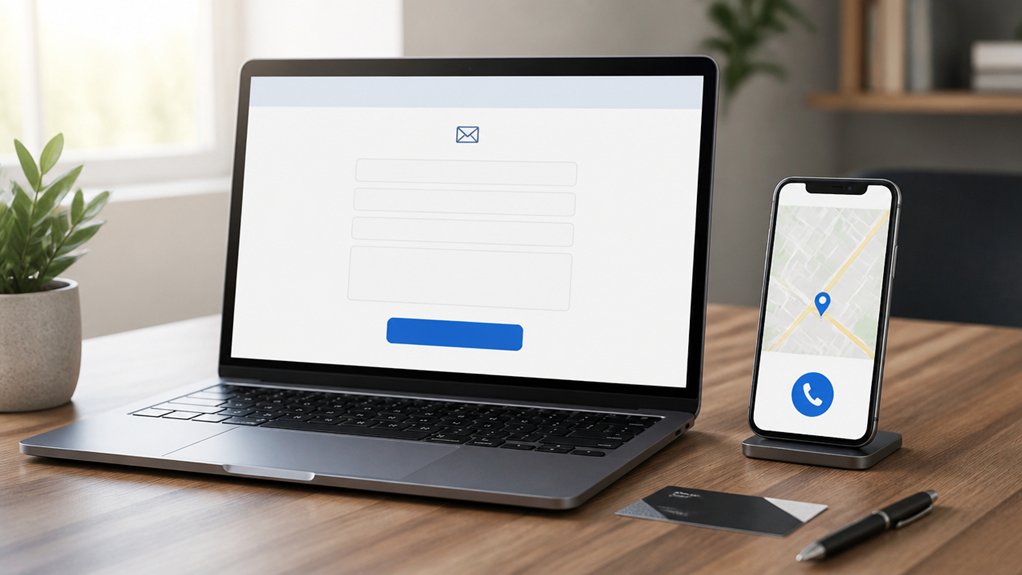
Your About page earns trust; your Contact page turns that trust into action. If it’s slow or confusing, people leave. Keep load time under 2 seconds; each extra second can cut conversions.
Put your phone, email, hours, and location above the fold, and make them tap-to-call on mobile. Use a short Contact form: name, email, message. Skip optional fields that create friction and spam.
Add clear error messages, inline validation, and a success confirmation so users don’t wonder if it worked. Offer one alternate path like a direct email link for people who hate forms.
Protect your user experience with reCAPTCHA or a honeypot, and test the page monthly on mobile and desktop.
Add Strong CTAs on Every Key Page
Once a visitor trusts you, a clear call to action (CTA) tells them exactly what to do next—and “look around” isn’t a plan.
Put one primary CTA on every key page: homepage, services, pricing, about, and blog posts. Make it specific (“Book a consult,” “Get a quote,” “Start a trial”) and action-led, not vague (“Submit”).
Use data-backed call to action strategies: match the CTA to intent, repeat it near decision points, and reduce friction with short forms and clear expectations.
Track clicks, form starts, and completions in analytics to see what drives user engagement. If a page gets traffic but few CTA clicks, tighten the offer, clarify benefits, or add proof like a testimonial beside the button.
Keep testing weekly.
Design Mobile-First Layouts (Thumb-Friendly)
Strong CTAs only convert if people can actually tap them without effort, and on most small business sites that “moment of truth” happens on a phone. So design mobile-first: prioritize the primary action, then remove everything that competes with it.
Keep key buttons in the lower half of the screen, where thumbs naturally land, and make tap targets at least 44px with generous spacing to prevent mis-taps.
Use short headlines, scannable sections, and a single-column layout so users don’t pinch-zoom or hunt.
For forms, minimize fields, use the right keyboard types, and add autofill-friendly labels.
This thumb friendly design isn’t aesthetic—it’s measurable mobile optimization that reduces friction and increases completed calls, bookings, and checkouts fast.
Speed Up Load Times (Core Web Vitals Basics)
Because mobile visitors bounce fast, load time becomes a conversion lever, not a technical nicety. Aim for Core Web Vitals targets: LCP under 2.5s, INP under 200ms, CLS under 0.1. You’ll feel wins in lower bounce and more leads.
Start with Image optimization: compress to WebP/AVIF, serve responsive sizes, and lazy-load below-the-fold photos.
Next, cut render blockers—minify CSS/JS, defer noncritical scripts, and trim plugins.
Improve server response by using fast hosting, enabling caching, and turning on HTTP/2 or HTTP/3. Add a CDN if you serve customers across regions.
Finally, monitor with PageSpeed Insights and Search Console, then retest after every change; speed regressions creep in fast.
Cover SEO Basics: Titles, Headings, Internal Links
Once your site loads fast, you’ve got to help Google (and customers) understand what each page is about. You do that by writing keyword-rich title tags, using a clean H1→H2→H3 heading structure, and linking related pages so authority and clicks flow to your best offers.
Get these three basics right, and you’ll typically see better rankings, higher CTR, and longer sessions without adding new content.
Craft Keyword-Rich Titles
Three on-page SEO elements pull the most weight for small business sites: keyword-rich title tags, clear headings, and smart internal links.
Your title tag is the first “ad” Google and customers see, and it strongly influences clicks. Start with keyword research: pick one primary query per page, then put it near the front of the title. Keep titles around 50–60 characters so they don’t truncate, and add a trust signal like your city, service, or brand.
Aim for unique titles on every page—duplicates confuse search engines and dilute relevance. Write for humans: promise a clear benefit, not a keyword dump. Pair your titles with content marketing themes you can actually deliver on, so visitors stay and convert.
Structure Clear Heading Hierarchies
While your title tag wins the click, your headings (H1–H3) tell Google—and skimmers—what the page actually covers. Use one H1 that matches the core query and promise.
Then break the page into logical H2s that mirror how customers ask questions (pricing, process, timeline, FAQs). Add H3s only when you need another layer; too many levels dilute scanability.
Keep headings specific and measurable: “Pricing for Weekly Lawn Care” beats “Our Services.” Aim for keyword alignment without stuffing, and front-load key terms.
Tie headings to Content personalization by reflecting intent segments (homeowners vs. property managers). Support Visual storytelling by labeling sections that introduce photos, charts, or before/after results.
A clean hierarchy reduces bounce, improves time on page, and makes audits faster.
Build Strategic Internal Links
Because Google follows links the way customers follow menus, your internal linking strategy directly impacts how fast new pages get discovered and how reliably they rank. Treat links as routes: each important service and location page should be reachable in 2–3 clicks from your homepage through clear site navigation.
Start by linking from high-traffic pages (home, top blog posts, FAQs) to high-value pages (services, pricing, booking). Use descriptive anchor text (“roof repair estimates,” not “click here”) so Google understands relevance.
Build topic clusters: a “Pest Control” hub links to subpages for ants, termites, and pricing, and each subpage links back. Add 3–5 contextual links per page, fix orphan pages, and audit quarterly to keep your internal linking clean and intentional.
Add Trust Signals: Reviews, Badges, Case Studies
Even if your service is excellent, most visitors won’t take your word for it—they look for proof. Add trust signals where decisions happen: near your headline, pricing, and contact buttons.
Publish customer testimonials with names, photos, and specific outcomes (“cut delivery time 22%”), not vague praise. Show star ratings and recent review dates to prove freshness and volume.
Use trust badges sparingly—payment security, licensing, memberships—and link them to verification pages when possible.
Build a simple case study template: the client’s problem, your process, measurable results, and a quote. Keep it scannable with bullets and one strong metric per section.
Finally, add a “Featured In” or partner logo strip only if it’s real and current.
Track Form Fills, Calls, and Bookings (Analytics)
Once you’ve added trust signals, you need to measure what actually converts—form fills, phone calls, and online bookings.
Set up conversion event tracking so you can see which pages, buttons, and traffic sources drive leads, not just clicks.
Then add call and booking attribution (like tracking numbers and tagged booking links) so you’ll know exactly what marketing is paying off.
Conversion Event Tracking
If you can’t measure which actions turn visitors into leads, you’re guessing at what’s working. Set up conversion events in your analytics so key actions are recorded: contact-form submits, click-to-call taps, quote requests, and online bookings.
Use a tag manager to deploy events without constant developer help, and verify them in real time before you trust the numbers. Then tie each event to a goal and monitor conversion rate, drop-off points, and device differences to spot friction fast.
Pair this with A/B testing: change one element (headline, button copy, form length), and let the data confirm lifts. Review user behavior in session recordings and funnels to explain why results changed.
Track trends weekly, not once.
Call And Booking Attribution
Because leads often arrive through three different doors—forms, phone calls, and bookings—you need attribution that ties each one back to the page, source, and campaign that drove it.
Set up event tracking for form submits, then layer in call tracking with dynamic number insertion so you can see which ads and pages generate calls, not just clicks.
Record call outcomes (missed, qualified, booked) to measure true lead quality.
For scheduling, connect your calendar tool and use booking analytics to capture appointment starts, completions, and no-shows by channel.
Then build a simple report: cost per lead, cost per booked job, and close rate per source.
When you know what produces revenue, you’ll cut waste fast and scale the winners with confidence.
Conclusion
You don’t need a flashy website—you need one that works like a well-tuned engine. Set clear goals, choose the right platform, and put your value prop front and center. Build pages that turn questions into “yes,” not dead ends. Keep load times lean, nail SEO basics, and stack trust signals like receipts. Then measure what matters—calls, forms, bookings—so every click tells you where to steer next.
About the Author