
You’ll boost online enquiries when your site explains what you do in five seconds with a plain headline, proof points, and one high-contrast CTA above the fold. Add trust fast with recent reviews, named testimonials, and verifiable badges near forms. Cut enquiries to a 3–5 field, single-page form or tap-to-call. Make mobile-first pages load fast (LCP under 2.5s) with compressed WebP images. Keep going for proven page and SEO tweaks.
Key Takeaways
- Use a plain-language headline above the fold that states your service, audience, and result within five seconds.
- Add trust proof near CTAs: testimonials with names/photos, third-party reviews, and relevant badges or memberships.
- Make one primary CTA prominent and reduce enquiries to a 3–5 field form or fast booking with real-time availability.
- Design mobile-first with thumb-friendly layouts, click-to-call, and critical info above the fold for quick action.
- Speed up pages by compressing images (WebP/AVIF), minifying code, and targeting LCP under 2.5 seconds to reduce bounce.
Clarify What You Do in 5 Seconds
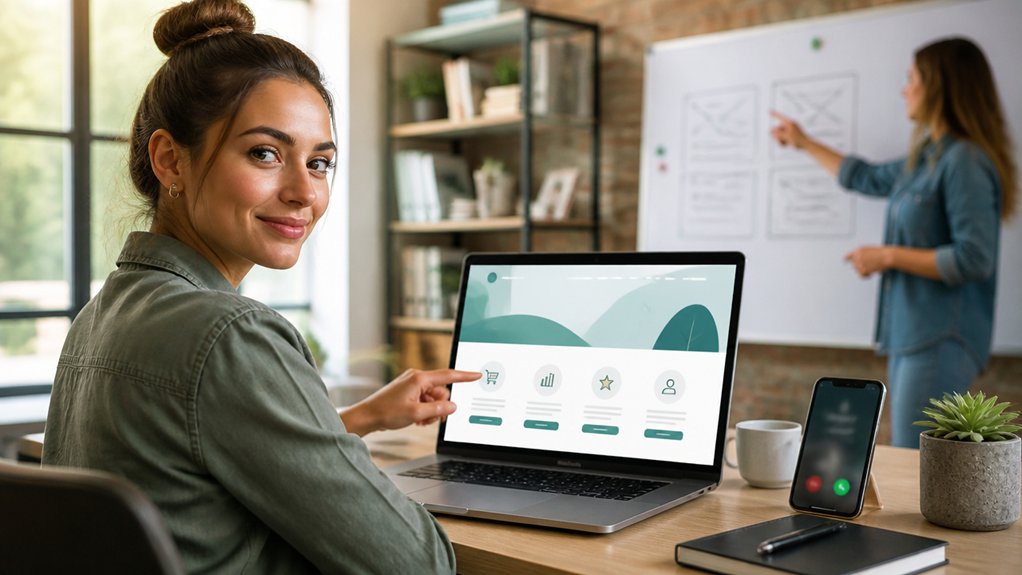
If a first-time visitor can’t tell what you do within five seconds, they’ll bounce.
Put your primary offer in a plain-language headline above the fold, followed by one sentence that names who you serve and the outcome you deliver.
Add a single, high-contrast call-to-action button, and remove competing links.
Use visual hierarchy to guide scanning: headline first, supporting proof points second, CTA third.
Keep branding consistency across logo, colors, and typography so users don’t question whether they’re in the right place.
Replace vague labels like “Solutions” with specific services.
Use one hero image that shows the result, not generic stock.
Test clarity: show your homepage for five seconds, then ask, “What do we do?” If answers vary, revise.
Build Trust Fast With Reviews and Credentials
Clear messaging gets you past the first five seconds; proof gets you the next click.
Add Customer testimonials where hesitation happens: service pages, pricing, and checkout. Use full names, roles, photos, and specific outcomes (“cut response time 30%”), not vague praise.
If you can, embed third-party reviews (Google, Trustpilot) to reduce suspicion and show recency. Aim for 3–6 strong reviews per core service and refresh quarterly.
Show Industry credentials beside the promise they support: licenses, memberships, awards, insurance, and compliance badges. Link to verification pages when available.
Keep logos consistent, high-resolution, and limited to what matters; too many badges look spammy.
Include a short “as seen in” strip only if it’s credible and current.
Put One Strong CTA Above the Fold
Place the CTA button near your headline, keep it visible on mobile, and use high contrast (WCAG-friendly) so it stands out.
Support it with one proof point (e.g., “Reply within 1 business hour” or “Rated 4.9/5”) to increase clicks without clutter.
Track performance with heatmaps and A/B tests; even small copy tweaks can shift CTR by double digits.
Keep the Above the fold area focused—one CTA, one message, one outcome.
Cut the Enquiry Process to 1–2 Steps
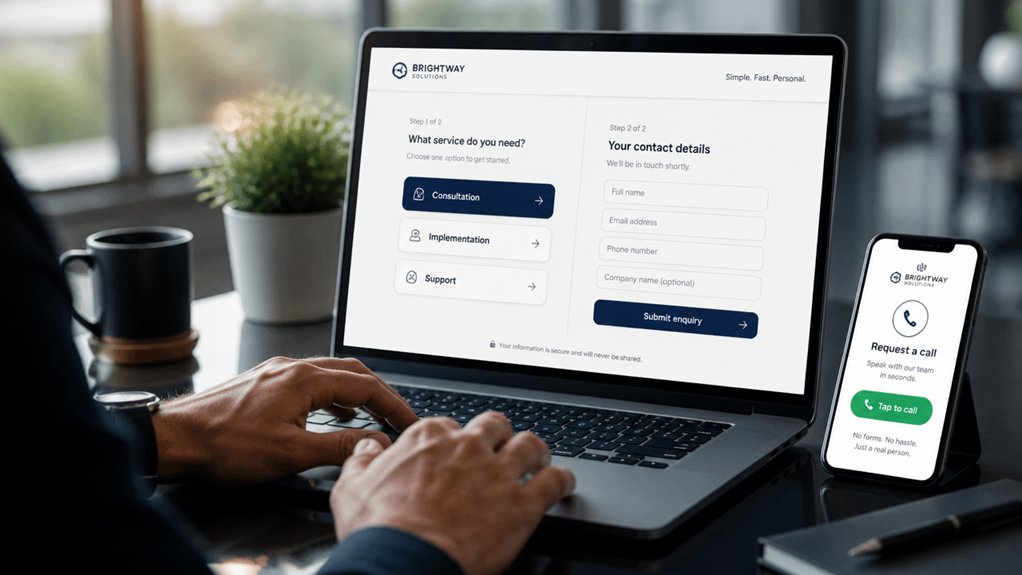
Every extra field or screen costs you leads, so you should cut enquiries to 1–2 steps wherever possible. Use a single-page form, add a tap-to-call button for mobile visitors, and remove any unnecessary questions.
If you take bookings, simplify appointment scheduling to a fast, two-click flow with instant confirmation.
Use Single-Page Forms
Although your visitors might love your offer, they’ll still bounce if your enquiry form feels like work. Use a single-page form that takes 30–60 seconds to complete, and you’ll remove friction fast.
Keep it to 3–5 fields: name, email, phone (optional), service needed, and a short message.
Use smart defaults, inline validation, and a progress hint (“Step 1 of 1”) to reduce hesitation.
Add interactive elements like conditional fields that appear only after a selection, so the form stays short while capturing detail. That lifts user engagement without adding steps.
Place the form above the fold on key pages, repeat it near pricing, and confirm submission instantly with a clear next-step message.
Add Click-To-Call Buttons
Short forms reduce friction, but many prospects still prefer to talk—so give them a tap-to-call option that turns interest into an enquiry in 1–2 steps. Add a Click to call button in your sticky header, contact section, and on high-intent pages (services, pricing, testimonials).
On mobile, use a tel: link and make the button thumb-sized with clear copy like “Call now.” Keep it visible after scroll to cut drop-offs.
Measure what works with Call tracking: use dynamic numbers per channel, log call duration, and tag missed calls. You’ll see which pages and campaigns drive qualified conversations, not just clicks.
Route calls to the right team or hours message, and add a fallback SMS link if you can’t answer immediately.
Simplify Appointment Booking
When booking takes more than a couple of clicks, you lose ready-to-buy visitors to distractions or doubt. Cut the path to 1–2 steps: “Pick a service” → “Choose a time” → confirm. Put the booking button above the fold, repeat it near pricing, and keep it sticky on mobile.
Use appointment scheduling that shows real-time availability, location, and duration, so visitors don’t email to ask basic questions. Turn on booking automation for reminders, cancellations, and rescheduling links; fewer no-shows means more revenue without extra admin.
Remove account creation, minimize fields to name, phone, and email, and auto-fill when possible. Offer Apple Pay/Google Pay deposits if you charge upfront.
Track drop-offs in analytics and A/B test form length weekly.
Make Your Small Business Web Design Mobile-First
Because most visitors now browse on phones, you can’t treat mobile as a scaled-down desktop page. Design from the smallest screen up, then expand. Start with a responsive layout that keeps text readable, buttons tappable, and forms short.
Use intuitive navigation: a clear menu label, thumb-friendly spacing, and a persistent call-to-action (Call, Book, Get Quote). Keep critical info above the fold—what you do, where you serve, and how to contact you—so users don’t have to hunt.
Replace long paragraphs with scannable headings and bullets. Make phone numbers click-to-call and addresses tap-to-map.
Test on iOS and Android with one hand, in bright light, and on slower 4G to catch layout breakage.
Speed Up Pages to Stop Visitors Bouncing
If your pages take more than a few seconds to load, you’ll lose visitors fast and your bounce rate will climb.
You can cut load time by reducing image file sizes (compress and serve next-gen formats) and minifying scripts and styles to shrink what the browser downloads.
Start by auditing your biggest assets, then optimize them first for the quickest speed gains.
Reduce Image File Sizes
A single oversized image can add seconds to your load time, and every extra second increases bounce rates and cuts conversions. Treat images as performance assets: aim for hero images under 200KB and most in-content images under 100KB without visible quality loss.
Start with Image optimization: export to the exact display dimensions, then pick modern formats (WebP/AVIF) for photos and SVG for logos and icons. Apply file compression using quality settings around 60–80 for JPEG/WebP, and strip metadata to save extra KB.
Use responsive images so phones don’t download desktop files, and lazy-load below-the-fold visuals to prioritise first paint. Recheck with PageSpeed or Lighthouse after each change to confirm faster loads.
Minify Scripts And Styles
Even when your images are lean, bulky JavaScript and CSS can still stall the first paint and push visitors to hit “Back.” Minify scripts and styles by stripping whitespace, comments, and unused code so browsers download fewer KB and parse less—often cutting file sizes by 20–60% on typical small-business sites.
For code optimization, turn on minification in your build tool (Webpack, Vite) or plugin (Autoptimize, WP Rocket), then verify with Lighthouse.
Next, remove dead CSS with PurgeCSS, and split bundles so above-the-fold code loads first. Defer non-critical scripts, inline critical CSS, and preload key files to reduce render-blocking.
Watch metrics: aim for <2.5s LCP and minimal Total Blocking Time. This performance enhancement keeps forms snappy and enquiries flowing.
Add Social Proof Where Buyers Hesitate
When buyers hover on the edge of clicking “Book,” “Buy,” or “Contact,” social proof can remove the last bit of doubt. Put Customer testimonials beside your primary CTA, not buried on a separate page.
Use short, specific quotes that mention outcomes, timelines, or numbers, and include a name, photo, and business type to boost credibility.
Add Trust badges (payment security, industry memberships, guarantees) directly under forms and checkout buttons to reduce perceived risk.
Reinforce claims with third-party proof: Google rating widgets, review counts, and “as seen in” logos, placed near pricing tables and enquiry forms.
Rotate testimonials by service category so visitors see relevance fast.
Test placement: move proof above the fold and track form-completion lifts weekly.
Write Service Pages That Answer “Cost, Time, What’s Included
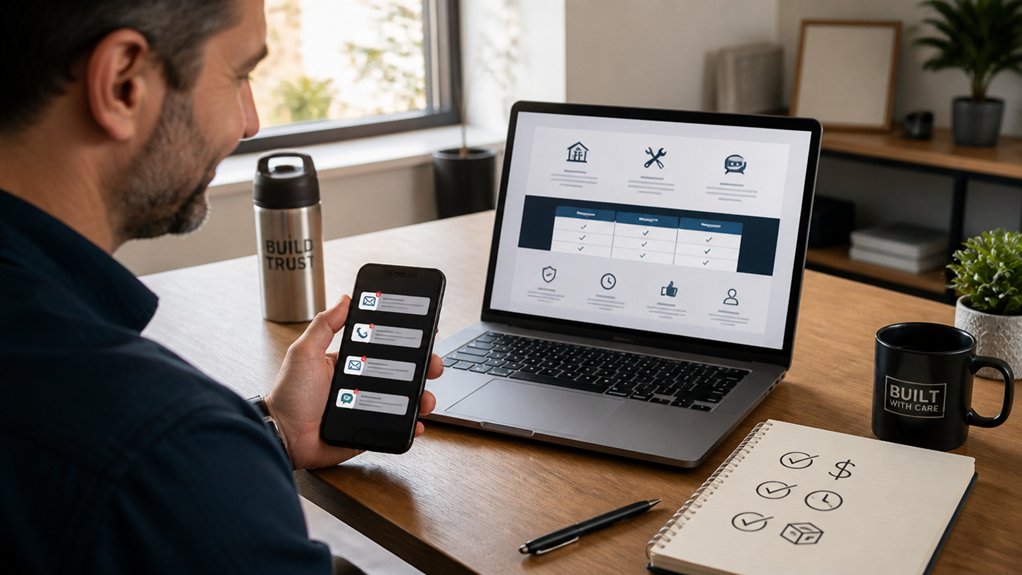
If your service page dodges price, timeline, or deliverables, visitors assume the worst and bounce. Fix that by stating a clear range (e.g., “$1,500–$3,000”) and what drives variation: scope, integrations, content volume.
Lead with pricing transparency, then add a simple “what you get” checklist: discovery call, draft, revisions, handover, support window.
Next, publish project timelines in days, not vague weeks: “Kickoff in 48 hours; first draft in 7 days; go-live in 14–21.” Add dependencies so you don’t overpromise: “Timeline starts after deposit and assets.”
Close with an FAQ that answers “What’s not included?” and “How do we pay?” That reduces pre-sale emails and lifts enquiries with higher intent.
Use Real Photos to Show Real Work
Use real photos to prove you do the work you claim, and you’ll raise trust faster than stock imagery ever can.
Showcase on-site projects, feature your team in action, and add before-and-after shots so visitors can verify quality, process, and results in seconds.
When you pair each photo set with a short caption (location, scope,, timeframe), you make your proof specific and easy to scan.
Showcase On-Site Projects
Although polished stock photos look nice, they don’t prove you’ve done the work. Showcase on-site projects with real, timestamped images that match your service area and job types. Add captions with location (suburb), scope, timeframe, and measurable outcomes (e.g., “reduced leaks by 80%” or “cut energy use 15%”).
Build interactive galleries that group projects by problem, industry, or budget range so visitors can self-select what matches their needs. Include before/after sliders, materials used, and a brief “what we did” checklist.
Offer virtual tours for larger jobs to show layout, finishes, and constraints without forcing a site visit. End each project page with a single CTA—“Request a quote for a similar project”—and prefill the form with that project’s tag for faster enquiries.
Feature Team In Action
When prospects can see your crew working on real jobs, they trust your quality and process faster than any polished hero image. Add a “Team in Action” gallery on key service pages and pair each photo with a one-line caption: task, tool, and outcome.
Use real, on-site shots: site setup, safety checks, measuring, and client walkthroughs. You’ll signal reliability without extra copy.
Prioritize team collaboration: show handoffs, checklists, and quality control steps. Rotate an employee spotlight monthly with one quote on what “done right” means and a credential line (license, years, specialty).
Keep images consistent: natural light, clean backgrounds, branded uniforms. Compress files, add descriptive alt text, and place the gallery near your enquiry form to lift conversions.
Highlight Before And After
Because people judge results faster than promises, before-and-after photos can lift trust and shorten your sales cycle on key service pages. Use real, high-resolution images from actual jobs, not stock, and label them with outcomes (time saved, cost reduced, ratings improved).
Build strong visual contrast by matching angles, lighting, and distance, then add a simple slider so visitors can compare in one swipe. Place the gallery near your primary CTA to keep the user journey moving from proof to enquiry.
Add short captions: problem, fix, measurable result, and location. Include dates to show recency, and ask clients for permission in writing.
Track clicks on sliders and CTA lifts in analytics, then iterate based on data.
Fix Small Business Website Design SEO Basics (Titles + Local)
If you fix your SEO basics early, your website can start earning traffic without extra ad spend. Start with page titles: keep them under ~60 characters, lead with your primary service keyword, then add your location and brand (e.g., “Emergency Plumber in Geelong | Smith Plumbing”). Write meta descriptions to match intent and include a clear benefit, because higher relevance can lift click-through rates. Use one H1 per page, align headings with Keyword optimization, and guarantee each service page targets a distinct query.
Next, tighten local signals. Add your full NAP (name, address, phone) in the footer, match it everywhere, and embed a Google Map on your contact page. Build consistent Local citations across Google Business Profile, Apple Maps, Bing, and core directories in your industry.
Track Enquiries and A/B Test Small Changes
Once your titles, headings, and local signals line up, you need proof they’re turning visits into leads. Set up enquiry tracking for every path: form submits, click-to-call taps, email clicks, and chat starts. Tag each as a conversion in GA4, and pipe leads into your CRM so you can match enquiries to revenue.
Then run small A/B tests. Change one element at a time: button copy, form length, trust badges, or above-the-fold offer. Split traffic 50/50, run until you hit enough volume, and compare conversion rate, drop-off, and User engagement (scroll depth, time on page).
Use Data analysis to avoid gut calls: focus on statistically meaningful lifts, not vanity metrics. Keep winners, document learnings, repeat weekly, and review device and location segments for hidden gains.
Conclusion
Your website’s your storefront window—people decide in 5 seconds if they’ll walk in or keep scrolling. Make the sign clear, hang proof (reviews, badges), and place one bold “Call/Book” button above the fold. Keep enquiries to 1–2 taps, and build mobile-first so forms don’t fight thumbs. Answer cost, timing, and inclusions on service pages. Use real photos, tighten titles + local SEO, then track and A/B test to turn clicks into calls.
About the Author