
You’ll promote a small business website fastest when you pick 1–2 measurable goals (like 10 quote requests/week), then track them in analytics plus your CRM or checkout. Claim and fully complete your Google Business Profile, keep NAP consistent, and collect reviews to win local searches. Fix on-page SEO, speed, and mobile UX to cut friction. Publish high-intent service and location pages, send a weekly email, trade referrals, and run $5–$20/day ads with conversion tracking. Keep going for the step-by-step playbook.
Key Takeaways
- Set 1–2 measurable website goals and track conversions in analytics/CRM to focus promotion on revenue-driving pages.
- Improve speed and mobile usability (Core Web Vitals, compressed images, fewer plugins) to reduce bounce and boost conversions.
- Strengthen local SEO: optimize Google Business Profile, keep NAP consistent, and earn steady reviews to rank in Maps and local pack.
- Publish high-intent service and location pages targeting “near me” searches, with clear CTAs, local proof, and internal links.
- Run small-budget, conversion-tracked ads and social posts that drive to dedicated landing pages; pause losers and scale winners gradually.
Pick 1–2 Goals and Define “success

Before you spend a dollar on ads or an hour on content, pick one or two website goals you can measure—because “more traffic” isn’t a plan. Choose outcomes tied to revenue or pipeline: “10 quote requests/week” or “$2,000/month in online orders.” Then define success with a number, a time window, and a source of truth (analytics + CRM or checkout data).
Map each goal to one primary page and one action: call, form submit, booking, purchase. Audit friction: load speed, confusing nav, weak CTAs. Keep branding consistency across pages so people recognize you and trust you faster.
Track user engagement signals—scroll depth, time on page, repeat visits—to spot pages that need clearer offers or tighter copy.
Set Up Google Business Profile First
If you want local customers to find—and trust—you fast, set up (or claim) your Google Business Profile first. It’s the quickest way to show up in Maps and the “local pack,” where high-intent searches often convert. Fill in every field: primary category, services, hours, phone, website, and photos. Keep your name, address, and phone consistent everywhere to strengthen local citations and avoid confusing Google’s matching.
Next, build proof. Ask every happy customer for Google reviews, and reply to each one within 24–48 hours. A steady review velocity beats one-time bursts. Use Posts for weekly updates, add products or services, and enable messaging if you can respond quickly.
Track calls, direction requests, and website clicks in Insights.
Fix On-Page SEO (Titles, Headings, Internal Links)
Next, you’ll tighten on-page SEO so Google and customers understand each page fast.
Start by optimizing title tags with your primary keyword and a clear benefit.
Then structure headings (H1, H2, H3) to match the page’s logic.
Finally, strengthen internal linking so your top pages pass authority and users can reach key services in fewer clicks.
Optimize Title Tags
One well-written title tag can raise your click-through rate even when your rankings don’t change, because it’s the headline searchers see in Google. Treat Title tag optimization like ad copy: front-load your primary term, add a clear benefit, and match the page’s intent.
Use Keyword targeting based on real queries in Search Console: pick one main keyword and one modifier (city, service type, price, “near me”) when it fits naturally. Keep titles around 50–60 characters so they don’t truncate on most results.
Make every page title unique to avoid cannibalizing clicks and confusing Google. Add numbers or specifics (“24/7,” “Free estimate,” “From $99”) only if true.
Then A/B test by updating a few titles and tracking CTR changes weekly.
Structure Heading Hierarchy
Why does heading hierarchy matter so much for a small business site? Because search engines and shoppers scan, not read. Clear H1–H3 structure improves comprehension and can lift engagement signals like time on page and scroll depth.
Put one H1 that matches the page’s primary intent, then use H2s for major sections (services, pricing, FAQs), and H3s for supporting details. That creates strong content hierarchy, so Google can map topics faster and users can find answers without bouncing.
Keep headings descriptive, not cute: “Emergency Plumbing Pricing” beats “What It Costs.” Maintain heading clarity by using parallel phrasing, limiting length to 6–10 words, and ensuring each section delivers on the promise.
Audit pages quarterly and fix gaps.
Strengthen Internal Linking
Where do visitors go after they finish a service page—do you guide them or let them dead-end? Strengthen internal linking so users and crawlers always have a next step. Add 3–5 contextual links per key page to related services, pricing, FAQs, and a clear contact path. Use descriptive anchor text (“commercial roof repair”), not “click here,” so Google understands relevance and you earn richer sitelinks over time.
Prioritize links from high-traffic pages (home, top blog posts) to high-conversion pages to push link juice where it matters.
Build topic clusters: one pillar page linking to 6–10 supporting posts, each linking back. Audit quarterly for orphan pages, broken links, and over-optimized repeats. Keep it natural, helpful, and measurable.
Make Your Site Fast and Mobile-Friendly

Even if your content and offers are strong, a slow, clunky mobile experience can tank your results—Google reports that as page load time rises from 1 to 3 seconds, the chance of a bounce jumps 32%. That’s why you’ve got to treat site speed and mobile responsiveness like growth levers, not “tech chores.”
Start by testing with PageSpeed Insights and fixing the biggest bottlenecks: compress and lazy-load images, minify CSS/JS, and enable browser caching.
If you’re on WordPress, use a lightweight theme and a reputable performance plugin, then clean up unused plugins.
Make your pages tap-friendly: readable font sizes, adequate button spacing, and no intrusive pop-ups.
Finally, monitor Core Web Vitals monthly so performance doesn’t quietly slip.
Create Service Pages That Match Buyer Searches
Next, you’ll get more qualified leads by building service pages around high-intent keywords buyers actually type, like “emergency plumbing near me” or “tax prep for small business.”
Use search data from Google Search Console or keyword tools to pick terms with clear purchase intent, then map one primary keyword to one focused page.
If you serve multiple areas, create location-specific pages (city + service) with unique proof—pricing ranges, photos, reviews—so you rank locally and convert faster.
Target High-Intent Keywords
If you want your website to generate leads—not just traffic—you need to target high-intent keywords that signal someone’s ready to buy, like “emergency plumber in Austin” or “book house cleaning near me,” not broad terms like “plumbing tips.”
Start by listing your core services, then expand into Long tail keywords that include urgency, pricing, and booking intent (“same-day,” “cost,” “schedule,” “near me”). Pull ideas from Google autocomplete, Search Console queries, and paid-search terms that already convert.
Next, map one primary keyword to one service page and use it in the title, H1, meta description, and first 100 words. Add content localization cues—service area mentions, hours, and turnaround times—without spinning up separate location pages.
Track calls, form fills, and booked jobs, not clicks.
Build Location-Specific Pages
One well-built location-specific service page can convert better than five generic “areas served” blurbs because it matches exactly what buyers type—“water heater repair in Cedar Park” beats “plumbing services” every time.
Build one page per core service per city or neighborhood you truly serve. Use the exact query in your H1, title tag, and first 100 words, then prove relevance with photos, reviews, and a short map embed.
Add neighborhood targeting details: landmarks, ZIPs, and typical problems you solve there. Keep content unique—duplicate pages get filtered.
Track calls, form fills, and rankings in Search Console to see what’s working.
Tie pages to local event sponsorship by mentioning supported events and linking to recap posts for fresh, localized signals.
Publish Blog Content That Wins Local Keywords
Although your homepage can rank for your core service, blog posts let you capture high-intent local searches like “emergency plumber in [neighborhood]” or “best [service] near [landmark].” To win those keywords, publish articles that answer specific local questions, mention the exact areas you serve (cities, neighborhoods, ZIP codes), and tie your expertise to local context—think regulations, weather, events, or common problems people in your region actually face.
Start with Local keyword research: pull “near me” and “in [area]” queries from Search Console, autocomplete, and competitor titles.
Then use Content personalization by swapping examples, photos, and FAQs by neighborhood.
Keep posts skimmable: one clear intent, a checklist, pricing ranges, and a “when to call” section.
Add internal links to your location pages and update quarterly based on rankings.
List Your Business on Directories and Maps
Blog posts pull in local searches, but directories and map listings convert that interest into calls because they show up right where people search—Google Maps, Apple Maps, Bing Places, Yelp, and niche industry sites.
Start with consistent NAP (name, address, phone) everywhere, then add hours, services, and primary categories. Upload real photos, add a short description, and enable messaging or booking if available.
Treat Business listings like conversion pages: use keywords in services, set service areas, and choose attributes (wheelchair access, parking, payment types).
For Map optimization, earn more actions by posting updates, adding products/menus, and answering Q&A fast.
Track results in each dashboard: views, direction requests, calls, and website clicks. If one directory drives zero actions in 60 days, deprioritize it and focus on the winners.
Get Backlinks With PR, Partners, and Guest Posts
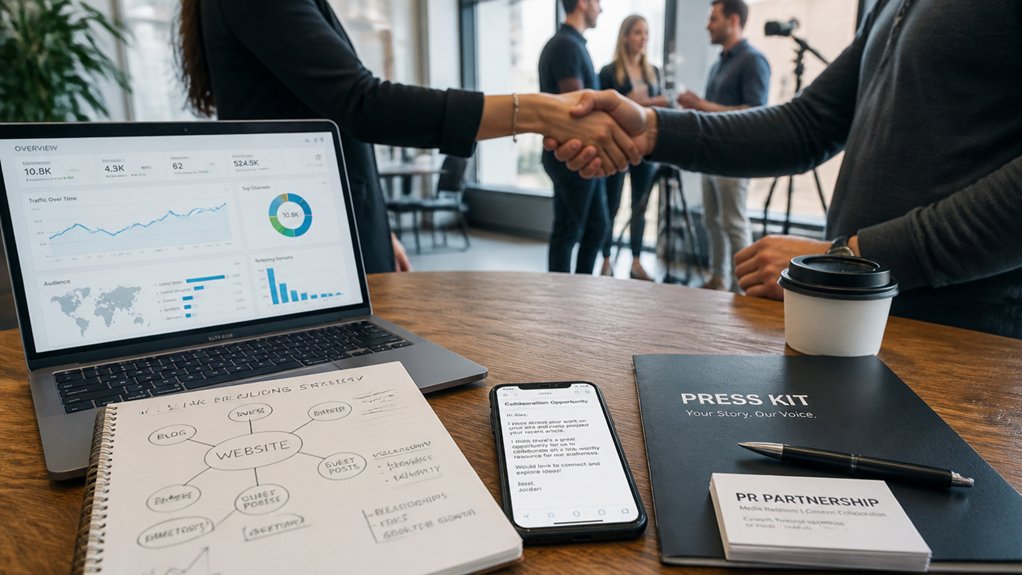
Because Google still treats links as a strong trust signal, a handful of relevant backlinks from real local outlets, partner sites, and well-matched guest posts can move your rankings faster than weeks of on-page tweaks.
Start with PR that earns links: send press releases only when you’ve got real news (award, expansion, data), and pitch a reporter with a clear angle and one quotable stat.
Next, build brand partnerships that naturally justify a link—co-host a workshop, publish a joint case study, or offer a partner-only landing page. Ask for the link in the agreement, not after.
For guest posts, target sites that rank for your buyers’ questions, then propose one specific topic and include a relevant internal link to your resource page. Track new referring domains and resulting leads monthly.
Turn Social Posts Into Website Clicks
When you treat every social post like a tiny ad with a clear next step, you’ll turn passive likes into measurable site traffic.
Pick one goal per post: blog read, product page, booking, or lead magnet. Put the link where clicks happen (bio link, pinned comment, Story sticker), and repeat the CTA in plain language.
Boost social engagement by posting native hooks: a 5–10 second teaser video, a carousel with one strong stat, or a before/after image. Then drive curiosity with “See the full breakdown” linking to your site.
Make content sharing easy: add a quotable line, a swipeable checklist, and a short URL with UTM tags.
Review clicks, CTR, and top referrers weekly, then double down on formats that convert.
Use Email to Bring Visitors Back Weekly
Email is still one of the highest-ROI channels you control, so you should use it to turn one-time visitors into weekly return traffic.
Start a weekly newsletter with one clear click goal, segment your list so each subscriber gets content that matches their interests, and track opens and clicks to see what’s working.
Then automate click-worthy follow-ups (welcome, browse-abandon, post-purchase) so you’re bringing people back without adding more weekly work.
Build A Weekly Newsletter
How do you turn a one-time visitor into a repeat customer without paying for another click? Build a weekly newsletter that earns attention.
Aim for one clear promise: a useful tip, a new product, or a limited offer, delivered the same day each week.
Keep it skimmable—strong subject line, one primary CTA, and a short P.S.
Track open rate, click-through rate, and on-site conversions so you can tighten copy and offers fast.
Use personalized content powered by audience segmentation, but keep the message broad enough to manage weekly.
Add one “share” link to grow subscribers organically, and place signup forms on your homepage, blog, and checkout.
Consistency compounds: even a 3–5% weekly click rate builds predictable returning traffic.
Segment Lists For Relevance
Although one weekly newsletter can lift repeat visits, segmentation is what keeps your messages relevant enough to earn clicks week after week. Start by splitting subscribers by intent: buyers vs. browsers, service page visitors vs. blog readers, locals vs. out-of-area. That’s practical Audience targeting, and it typically boosts click-through rates because you match offers to what people already cared about.
Use simple signals you already have: signup source, pages viewed, lead magnet topic, and past clicks. Then tailor the weekly send with light Content personalization—swap one featured link, headline, or promo per segment.
Keep segments small but meaningful; 3–5 groups usually beats 20 micro-lists you can’t maintain. Review performance monthly and merge segments that don’t behave differently.
Automate Click-Worthy Follow-Ups
Once you’ve got 3–5 meaningful segments, automation turns that relevance into repeat traffic without adding more weekly work.
Set up personalized automation that triggers when someone downloads a guide, views a service page twice, or abandons a cart.
Use 2–3 email sequences, not 20: a welcome loop, a content “best of” loop, and a reactivation loop.
Dial in follow-up timing based on behavior, not guesswork.
Send the first message within 1–3 hours of the action, a second 2 days later, then one weekly for 3–4 weeks.
Track click-through rate, return sessions, and revenue per recipient; keep what lifts results by 10%+ and cut the rest.
Every email should link to one page and one next step.
Swap Referrals With Local Businesses
Turn Local collaborations into repeatable workflows: add partner cards at checkout, include a partner link in email receipts, and train staff to mention one partner benefit.
Review results monthly—visits, leads, booked calls—and drop partners who don’t send quality traffic.
You’ll compound trust fast.
Answer Questions in Communities (Without Spamming)
If you want steady, high-intent traffic, go where your customers already ask for help—local Facebook groups, Reddit threads, Nextdoor, niche forums, and industry Slack communities.
Treat each post like a mini consult: answer the question directly, add one actionable step, and cite a source or quick metric when you can. You’ll stand out because most replies stay vague.
Use Community engagement rules: read the group guidelines, search before posting, and contribute 3–5 helpful comments for every time you mention your business.
When it’s relevant, share a specific resource on your site (checklist, pricing explainer, FAQ) and disclose your connection. That’s Ethical outreach, not spam.
Track which threads send visits and leads, then double down on those topics weekly.
Run $5–$20/Day Ads and Track Conversions
Because organic reach can take weeks to compound, a small $5–$20/day ad budget lets you buy immediate, high-intent clicks—provided you track what happens after the click. Start with one goal: lead form, call, or purchase. Install your pixel and set up conversion events so you can see cost per result, not just clicks.
Keep Budget allocation simple: 70% to your best-performing campaign, 30% to testing. Tighten ad targeting by focusing on a single local radius, one intent keyword set, or a lookalike from past customers.
Write one clear offer and send traffic to a matching landing page. Check results every 48–72 hours, pause losers, and scale winners by 20% increments to avoid relearning.
Conclusion
You don’t need 50 tactics; you need 2 goals and a scoreboard. When you polish your Google Business Profile and tighten on-page SEO, you’re building a compounding asset—not chasing clicks. A fast, mobile site and search-matched service pages turn “just browsing” into booked calls. Pair that with weekly emails and local referral swaps for steady lift. Then contrast effort with certainty: spend $5–$20/day on ads, track conversions, and scale what proves itself.
About the Author