
Build your small business website like a sales funnel: pick one measurable goal (book a call, get a quote, buy), then build only core pages—Home, Services, About, Contact—around that next step. Use the first 200 characters to say who you help and the outcome, place a primary CTA above the fold, and repeat it after key sections. Add reviews, real photos, and credentials near pricing. Keep forms short, hit sub-2.5s load, and tighten titles, headings, and Google Business Profile for local leads. Keep going to see the exact page and SEO checklist.
Key Takeaways
- Set one measurable goal per page, and make the primary CTA (book, quote, buy) instantly visible above the fold.
- Build core pages first—Home, Services/Products, About, Contact/Booking—with clear messaging that matches buyer intent in the first 200 characters.
- Use conversion-focused layouts: short headlines, benefit-first sections, repeated CTAs after key blocks, and a quieter secondary option to prevent distraction.
- Add trust fast with real reviews, ratings, photos, certifications, clear pricing, process steps, and FAQs that answer objections before users contact you.
- Improve traffic and leads with fast performance and SEO/local basics: WebP images, minimal scripts, strong titles/H1s, internal links, and an optimized Google Business Profile.
Set Your Website Goal and Primary Action

Before you pick a theme or write a single line of copy, decide exactly what your website must accomplish and what you want visitors to do first. Pick one measurable goal: book a call, request a quote, buy a product, or join your email list. Define your primary action, then make it the most visible button on every key screen.
Align the goal with your target audience’s intent. If they compare options, push “Get pricing.” If they need trust fast, push “Schedule a consultation.”
Set a baseline in website analytics: conversion rate, click-through on the primary CTA, and drop-off by device. Test one change at a time—headline, offer, or CTA color—and keep what lifts conversions.
Choose the Pages You Actually Need First
Now that you’ve set your goal and primary action, you need to choose only the pages that support it. Start with core pages—Home, Services or Products, About, Contact, and a clear next-step page like Booking or Request a Quote.
Then prioritize conversion-focused content (proof, FAQs, pricing, and strong CTAs) so every page earns its keep and moves visitors to act.
Identify Core Site Pages
Although it’s tempting to launch with a dozen menu items, you’ll get better results by starting with the few core pages that answer what prospects care about most: what you do, who it’s for, what it costs (or how to get a quote), and how to contact you.
Build your site architecture around these essentials: Home, Services (or Products), About, Pricing/Estimate, and Contact. Add a Location page if you serve a defined area, and a FAQ page if you routinely answer the same 5–10 questions.
Keep each page focused on one job, and link between them so users can reach any core content in two clicks. This lean structure reduces build time, improves crawlability, and keeps analytics cleaner when you measure page performance later.
Prioritize Conversion-Focused Content
When you build each page to drive one clear action—call, book, buy, or request a quote—you convert more visitors without adding complexity.
Start with the pages that move revenue: Home (value + CTA), Services (outcomes + proof), About (trust signals), and Contact/Booking (frictionless form).
Add Pricing or FAQ only if they remove objections you hear weekly.
Keep each page to one primary CTA and one secondary option.
Use above-the-fold headlines that answer “What do you do?” in 8–12 words, then support with 3 benefits, 1 testimonial, and a CTA button.
Improve user engagement with scannable sections, short bullets, and fast-loading media.
Apply content personalization by tailoring examples and offers to local industries, service areas, and intent.
Track clicks, form completions, and calls weekly.
Write Homepage Copy That Matches Buyer Intent
Before you write a single headline, get clear on what your best customers are trying to do the moment they land on your homepage—compare options, check pricing, verify trust, or book quickly.
Then mirror that intent in your first 200 characters: state who you serve, the outcome you deliver, and the next step.
Use benefit-first subheads (“Get same-week lawn care”) and answer top questions fast: service area, turnaround time, starting price range, and how booking works.
Keep sentences under 16 words to boost scanability and user engagement.
Use brand storytelling only where it reduces friction: one tight line on why you’re different, not your full history.
End each section with a single CTA that matches intent—“See pricing,” “Check availability,” or “Request a quote.”
Add Trust Signals: Reviews, Photos, Credentials
You’ll convert more visitors when you back up your claims with proof, not promises. Add star ratings and recent reviews near key CTAs. Feature authentic photos of your team and work, and display relevant licenses, certifications, and awards where prospects compare options.
These trust signals reduce perceived risk and help you win the click, the call, and the booking.
Showcase Star Ratings
Why do star ratings and other trust signals drive more customers to your small business website? They reduce perceived risk and speed up decisions.
Put your average rating (e.g., 4.8/5) and review count near primary CTAs, pricing, and booking forms so shoppers don’t hunt for proof.
Use structured data (Review/Rating schema) to qualify for rich results, which can lift click-through rates when stars appear in search.
Add short Customer testimonials that mention outcomes, timelines, or savings, and link them to the source platform for credibility.
Reinforce authority with Trust badges for licenses, insurance, payment security, and associations, but keep them relevant and current.
Refresh your rating widgets monthly and remove outdated claims.
Place trust elements above the fold and on key service pages too.
Feature Authentic Photos
How do you make trust feel instant on a small business website? You show what customers will actually get. Swap generic stock images for authentic photos of your team, your workspace, and real finished jobs.
Buyers process visuals faster than text, so clear, current images reduce uncertainty and hesitation. Use visual storytelling: a simple before/after set, a 3-step service sequence, or a short “day in the shop” gallery.
Add captions with specifics—location, timeframe, materials, and results—so photos carry proof, not vibes. Keep lighting consistent, faces visible, and backgrounds tidy.
Include a few customer-submitted shots (with permission) for social proof. Compress images for speed and label them with descriptive alt text for accessibility and SEO.
Display Licenses And Awards
Even if your work speaks for itself, clear credentials close the gap between interest and a booked call. Add a “Licensed & Insured” block near your primary CTA, then link to your state registry or license lookup to prove licensing compliance. Use scannable badges, not paragraphs, and list license numbers and expiration dates.
For award recognition, show the award name, year, and issuer, and link to the source page. Place one strong badge above the fold and a fuller “Credentials” section lower on the page. Pair these with a short review snippet and a real jobsite photo to reinforce legitimacy.
Keep everything current: set a quarterly reminder to update badges, renew certificates, and remove outdated awards. This reduces doubt and increases form completions.
Build Service and Product Pages That Convert
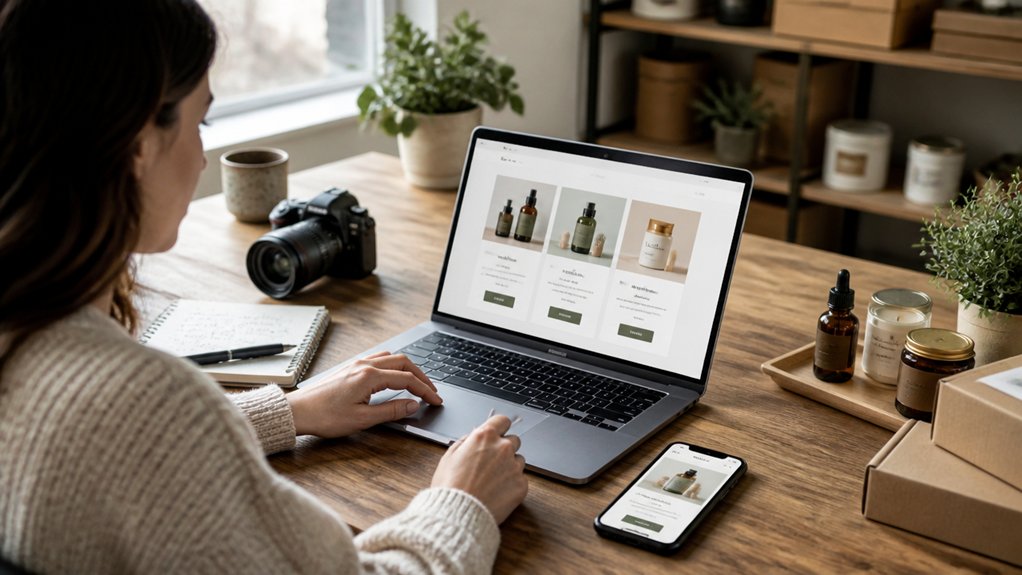
When your service and product pages answer buyers’ questions fast, they convert more visitors into leads and sales. Start by writing clear, scannable product descriptions that state who it’s for, the problem it solves, key specs, pricing range, and what’s included.
Add a short comparison table or “best for” bullets to reduce decision time.
Prove results with user testimonials placed next to the exact claim they support, and include names, photos, and measurable outcomes when possible.
Show your process in 3–5 steps, list timelines, and set expectations on revisions, delivery, and warranty.
Use high-quality photos, short demo clips, and before/after examples to increase trust.
Finally, answer objections with an FAQ covering fit, requirements, maintenance, and refunds so prospects don’t stall.
Improve Navigation, CTAs, and Contact Flow
Because most visitors decide in seconds whether to stay or bounce, your navigation, CTAs, and contact flow need to guide them to one clear next step with minimal friction. Improve navigation clarity by limiting your main menu to 5–7 items, using plain labels (“Services,” “Pricing,” “Contact”), and keeping your phone number visible.
Add a sticky header only if it reduces clicks, not options. For call to action placement, put one primary CTA above the fold and repeat it after key sections, always using action verbs (“Get a Quote,” “Book a Call”). Keep secondary CTAs visually quieter.
Streamline contact flow: one short form (name, email/phone, need), clear response time, and confirmation message. Track clicks, form starts, and completions to spot drop-offs quickly.
Make Your Site Fast on Mobile and Desktop
Clear navigation and strong CTAs only work if your pages load fast enough for visitors to see them. On mobile, every extra second raises bounce risk, so treat loading speed as a sales lever.
Start with responsive design so you don’t ship oversized assets to small screens. Compress images (WebP/AVIF), cap hero files under ~200 KB, and lazy-load below-the-fold media.
Minify and bundle CSS/JS, remove unused plugins, and defer noncritical scripts. Use a CDN and enable server caching; aim for sub-2.5s LCP on 4G and under 200ms TTFB.
Test with Lighthouse and real-device throttling, then fix the slowest page templates first. Your forms and maps should load last, not block content.
Cover SEO Basics: Titles, Headings, Internal Links

Although SEO can feel technical, you’ll get quick wins by nailing three on-page basics: title tags, heading structure, and internal links.
Write unique title tags for every page, keep them under ~60 characters, and put your primary term first. Use Keyword research to match titles to real queries, not internal jargon.
Structure pages with one H1 that mirrors the title, then H2s for main sections and H3s for details; this helps scanners and search engines understand relevance fast.
Add internal links from high-traffic pages to money pages using descriptive anchor text, and link related posts to build topical clusters.
Track clicks and impressions in Search Console monthly and refine.
These basics also support backlink strategies by making pages easier to crawl and cite.
Get Local Leads With Google Business Profile and Reviews
On-page SEO helps you show up in search results, but local customers often choose from the map pack first—so you need a strong Google Business Profile (GBP) and a steady flow of reviews.
Claim and verify your listing, then make your NAP, hours, and service areas match your website exactly to boost local search trust.
Add primary and secondary categories, products/services, and 10+ photos; businesses with complete profiles earn more actions.
Post weekly updates and enable messaging to capture quick leads.
Build review management into your process: ask every satisfied customer within 24 hours, share a short link, and aim for 2–5 new reviews monthly.
Respond to every review in 48 hours, include a keyword and location, and fix issues publicly to protect conversions.
Conclusion
When you build your small business website with a clear goal, only essential pages, and copy that matches what buyers search for, you turn traffic into leads. Add proof—reviews, real photos, licenses—then guide visitors with simple navigation and strong CTAs. Keep it fast on mobile, tighten titles and headings for SEO, and link pages logically. Pair it with Google Business Profile and consistent reviews, and your site works like a 24/7 salesperson.
About the Author