

Last month, a suburban agency relaunched its website and cut mobile load time from 6.2 seconds to 2.1, and enquiries rose 28% in four weeks. If your site looks dated, loads slowly, or shows stale sold results, you’re signalling risk to vendors and wasting paid traffic. You can spot the problems in two minutes with a few checks on mobile, speed, trust cues, and listings—starting with the one issue most agencies miss…
Key Takeaways
- If you haven’t audited or updated content in 12–18 months, your site is likely outdated and losing leads.
- If listings can’t be filtered and sorted on mobile within 10 seconds, users will abandon your site.
- If pages load over 3 seconds or Core Web Vitals fail, performance issues are hurting conversions and SEO.
- If branding looks inconsistent or you have SSL/mixed-content warnings, credibility and trust drop immediately.
- If updates caused broken URLs, missing redirects, or 404 errors, your technical SEO has likely slipped and rankings may decline.
Is Your Property Agency Website Outdated? (2-Minute Check)
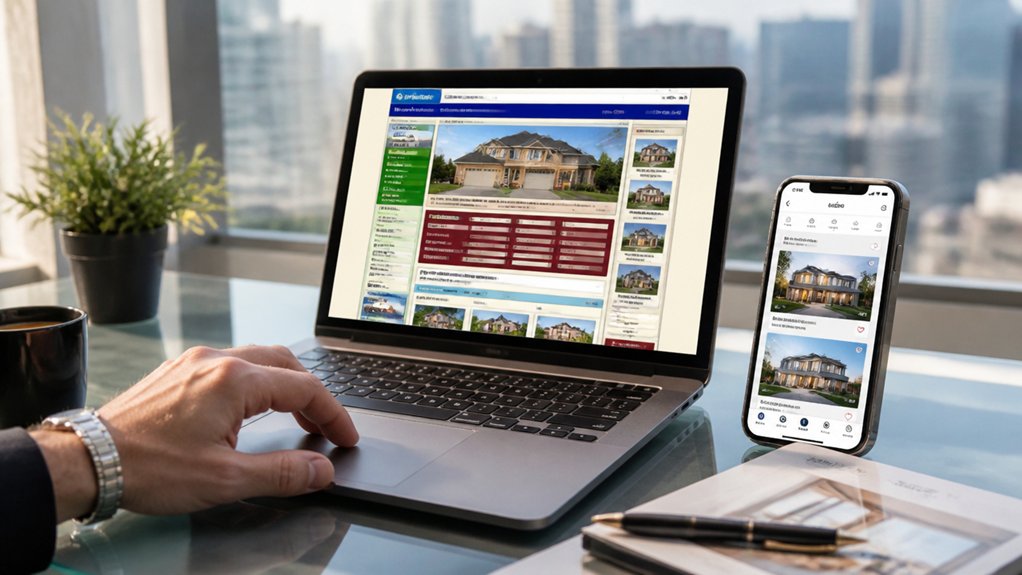
If your property agency website hasn’t been audited in the last 12–18 months, it’s probably costing you leads. Run this 2-minute check: open your homepage and ask, “Can a seller understand my value in 5 seconds?” If not, tighten your headline and proof points.
Next, scan visual branding: do fonts, colors, and photography match your current signage and listings, or does it look patched together? Then check trust signals: up-to-date reviews, team bios, and compliance info should be visible without scrolling.
Finally, spot content updates: are the latest sold results, market insights, and suburb pages current, dated, and internally linked? If you can’t answer “yes” fast, queue a refresh—prioritize copy, credibility, and consistency first.
Does Your Property Agency Website Work on Mobile?
Most property searches now happen on mobile, so if your site isn’t mobile-first, you’re losing leads before they ever see a listing.
You need responsive listings and search that load fast, fit every screen, and keep filters, maps, and photos usable without pinching or zooming.
You also can’t bury conversions—make call, text, WhatsApp, and enquiry buttons large, thumb-friendly, and always within one tap.
Mobile-First Design Check
Because buyers and renters now search listings on their phones first, your property agency website has to deliver a fast, thumb-friendly mobile experience—or you’ll lose enquiries before they ever reach a viewing.
Run a mobile-first audit: check Core Web Vitals, and aim for sub-2.5s LCP on 4G; compress images, defer noncritical scripts, and remove heavy pop-ups that trigger bounces.
Prioritise Mobile usability by making tap targets at least 48px, keeping key calls-to-action above the fold, and using high-contrast text at 16px+.
Test Touch navigation with one hand: sticky phone/email buttons, clear menus, and minimal form fields with autofill.
Finally, validate on real devices, not just emulators, and track mobile conversion rate weekly to catch regressions.
Responsive Listings And Search
Fast mobile load times only matter if visitors can actually find and open the right property once the page renders. Your listings and search must reflow cleanly on small screens, with filters that stay usable and results that don’t jump around. Audit Core Web Vitals on key listing pages; if CLS is high, users mis-tap and abandon.
Make search mobile-first: sticky filter summary, clear sort options, and instant feedback as criteria change. Keep cards scannable: price, suburb, beds, baths, and inspection time above the fold. Guarantee Property photos load in responsive sizes (srcset) and defer heavy media until intent is clear.
Embed virtual tours behind a lightweight thumbnail, then stream on tap. Track zero-result searches and refine suburbs, landmarks, and synonyms weekly.
Touch-Friendly Contact Actions
Once a buyer finds the right listing on mobile, your contact actions need to work flawlessly with a thumb. Make every CTA touch friendly: minimum 44×44 px tap targets, generous spacing, and a sticky “Call,” “WhatsApp,” and “Book Viewing” bar that stays visible.
Don’t hide phone numbers behind tiny icons or PDFs. Use click-to-call and one-tap messaging with prefilled property IDs so you don’t lose intent.
Track it: measure tap-through rate, call starts, form completion, and drop-offs by device. If your mobile contact conversion lags desktop by more than 20%, fix friction fast.
Reduce form fields to name, phone, and preferred time; enable autofill; validate inline; and confirm instantly via SMS/email.
Is Your Property Agency Website Slow Enough to Lose Leads?
If your property agency website takes more than 3 seconds to load, you’re likely bleeding leads because conversion rates drop sharply as delay increases.
On mobile, every extra second pushes more buyers and sellers to bounce before they ever view a listing or submit an enquiry.
You can reverse this by prioritising Core Web Vitals—improve LCP, cut INP delays, and stabilise CLS—to speed up key pages and protect conversions.
Speed Impacts Lead Conversion
While you’re investing in listings, photography, and ads, a slow-loading agency website can quietly drain your enquiries before prospects even see a single property. When pages take over 3 seconds, bounce rates jump, and each extra second can cut conversions by up to 20%.
If your enquiry form loads late, you’re paying for clicks that never become calls. Speed also signals trust: weak Website security warnings, mixed-content errors, or heavy third-party scripts slow pages and scare buyers.
Fix the basics fast—compress images, enable caching, minify CSS/JS, and remove unused plugins. Host on a modern stack with HTTP/2, a CDN, and server-level caching.
Keep branding consistency by standardising fonts and assets, then optimising them once. Measure with Core Web Vitals weekly. Set a 2-second target.
Mobile Load Time Losses
Desktop speed fixes won’t save you if your mobile experience still drags, because most buyers and tenants start their search on a phone—often on 4G in the car or between inspections. If your pages take over 3 seconds, you’re inviting drop-offs; every extra second cuts engagement and pushes prospects back to Property Portals where alternatives load instantly.
Audit your top entry points: suburb pages, listing templates, and enquiry forms. Heavy hero images, uncompressed galleries, chat widgets, and third-party tracking are common mobile bottlenecks. Virtual Tours can be a lead magnet, but only if you lazy-load them, defer embeds, and offer a lightweight thumbnail fallback.
Reduce redirects, trim plugins, and cache aggressively. Track mobile load time by device and network, then prioritise fixes on pages that drive calls, bookings, and valuation requests.
Fixing Core Web Vitals
Because Google now bakes page experience into ranking and users judge credibility in seconds, Core Web Vitals can quietly decide whether your next appraisal request lands or leaks to a faster competitor.
Start with targets: LCP under 2.5s, INP under 200ms, CLS under 0.1.
Run PageSpeed Insights on key pages (homepage, listings, appraisal form), then fix what moves the needle.
Compress and lazy-load images, serve WebP, and preload the hero photo to improve LCP.
Reduce INP by trimming third-party scripts, deferring chat widgets, and shipping less JavaScript.
Stabilise CLS by reserving space for banners, maps, and fonts.
Faster pages strengthen digital branding, lift user engagement, and reduce abandonment when buyers compare agencies.
You’ll also convert more enquiries.
Why Your Property Agency Website Doesn’t Feel Trustworthy
Even if your listings are solid, your website can still trigger doubt in the first few seconds if it looks neglected or inconsistent. Trust signals are visual and behavioral: mismatched logos, colors, and typography erode Brand consistency, while stocky imagery, pixelated photos, and dated layouts damage Visual credibility.
If your SSL isn’t obvious, your contact details vary across pages, or your forms feel clunky, visitors assume your operations are too.
Audit your pages like a buyer would: check for broken links, outdated staff bios, and stale market insights. Standardize headers, buttons, and tone across every page. Replace generic photos with original team and office images. Add clear compliance badges, reviews, and media mentions.
Then run monthly checks so trust doesn’t decay.
Are Your Property Listings Easy to Browse and Filter?

When buyers can’t narrow your stock in a few clicks, they bounce and move on to an agency that can. Filtering isn’t “nice to have”; it’s core User experience. If your listings force endless scrolling, hide key details, or reset filters on back, you’re leaking attention.
Audit your browse flow: can users filter by price, bedrooms, property type, location radius, and must-haves in under 10 seconds? Show results counts immediately, keep filters sticky, and let users sort by newest, price, and distance.
Use visual clarity: consistent card layouts, readable prices, clear status labels, and high-quality thumbnails that load fast. Add map-and-list views so buyers understand context at a glance.
If a listing page takes over 3 seconds to render, simplify scripts and compress images.
Missing Website Features That Drive Enquiries and Bookings
If your site makes interested buyers work to contact you, you’re turning warm intent into drop-offs. Put enquiry CTAs above the fold on every listing, add one-tap call and WhatsApp, and show live availability for viewings.
Add instant valuation forms and “book a viewing” calendars; reducing steps typically lifts conversions.
You also need trust and speed cues. Display agent profiles, verified reviews, and response-time badges, plus clear fees and next steps.
Use sticky CTAs on mobile, and enable saved searches with email/SMS alerts to pull leads back.
Keep branding consistency across listings, emails, and forms so users don’t hesitate.
Maintain content relevance by tailoring FAQs, suburb guides, and finance prompts to each property type.
Track form completion rate and booking rate weekly.
How to Update Your Property Agency Website Without Losing SEO

Although a website refresh can boost enquiries, you can’t afford to “reset” your organic traffic in the process, so treat the update like a controlled migration: keep high-performing URL paths stable, map every change with 301 redirects, preserve on-page signals (titles, H1s, internal links, schema), and ship performance improvements that safeguard Core Web Vitals.
Before launch, crawl your site, export all URLs, and benchmark rankings, clicks, and conversion paths in Search Console and GA4.
During the rebuild, maintain branding consistency so navigation labels and templates don’t break user intent or internal linking logic.
Plan content freshness by updating suburb pages, sold listings, and FAQs, not deleting them.
After launch, re-crawl, fix 404s, resubmit sitemaps, and monitor index coverage daily for two weeks.
Conclusion
If your site’s dated, you’re leaking leads. Audit mobile usability, speed, trust signals, and listing search in one sitting, then fix the biggest friction first. For example, a mid-size agency replaced a slow homepage (5.8s to 2.1s), added sticky “Book a Valuation,” and improved filters; enquiries rose 28% in six weeks. You don’t need a full rebuild—refresh content, repair links, tighten SEO, and keep branding consistent to lift rankings and conversions.
About the Author